work · tennis
Court Canvas.:
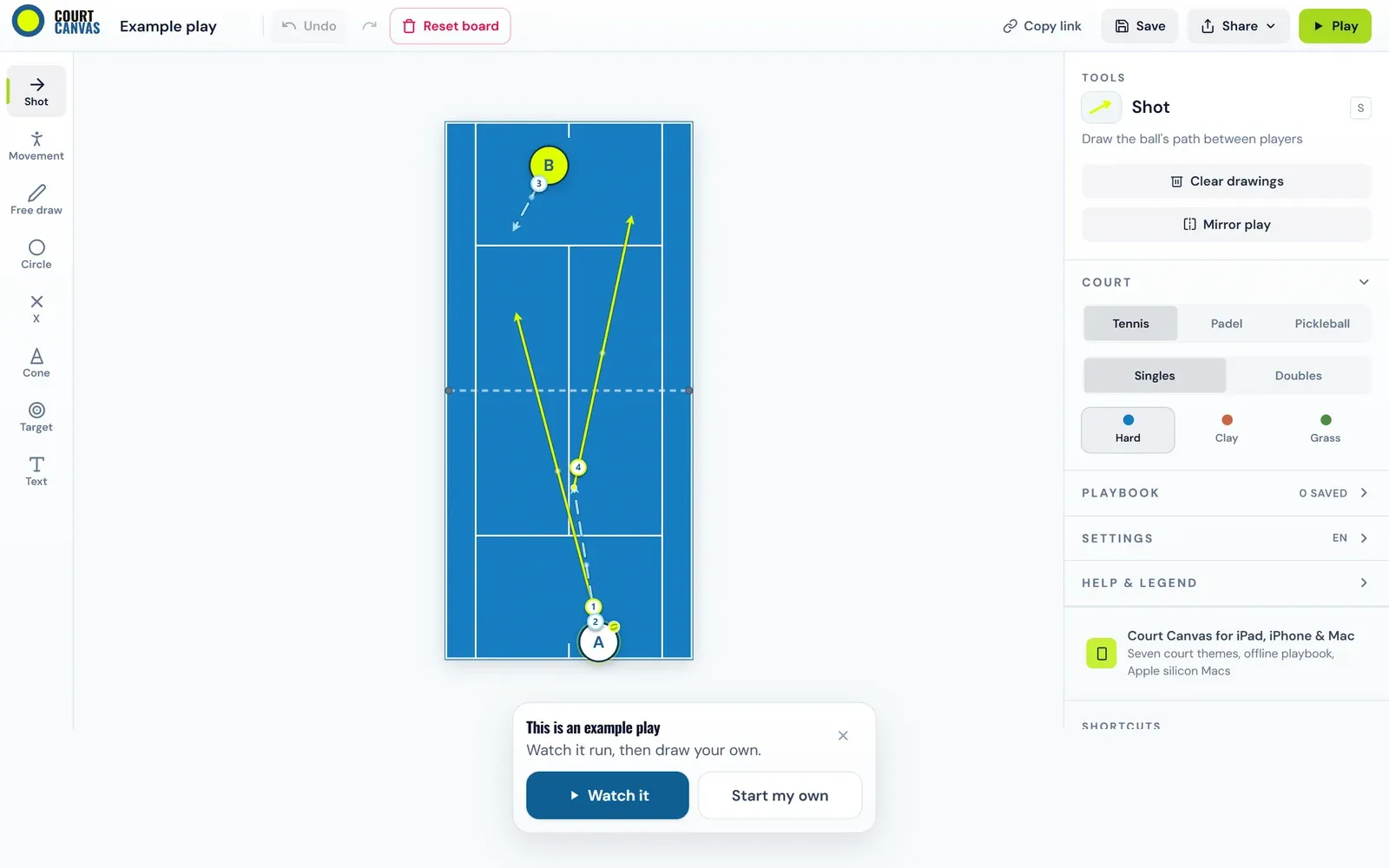
A free tactical whiteboard for tennis and pickleball coaches — drop player markers on a court, draw arrows, save plays, export GIFs. No login, works on your phone, built to use courtside between sets.
- Live
- Web
- iPhone · iPad · Mac
- Runs on
- courtcanvas.com, plus a native app for iPhone, iPad and Mac
- Courts
- Tennis, padel, pickleball · singles and doubles · hard, clay, grass
- Built with
- Next.js on the web; SwiftUI and StoreKit 2 on Apple
- Links
- courtcanvas.com ↗ App Store ↗
The story
It started as a React component I iterated on with Claude in artifacts, then grew into a Next.js app on Vercel — Tailwind UI, i18n across English/Spanish/French, 252 tests, full PWA support with an offline fallback. The web version is solid. Shipping it to iOS is where it got interesting.
I took the shortcut: wrap the React app with Capacitor, keep one codebase. Got it building, submitted it. Apple bounced it — classic wrapped-PWA Guideline 4.2 risk. Worse, in-app purchase through the Capacitor StoreKit plugin was broken: tap "Unlock Pro," get "Store unavailable." The JS-to-native bridge fought me the whole way.
The lesson: Capacitor saved weeks on v1 and cost them back on the rejection-and-IAP loop. For a touch-heavy drawing app where Pro conversion matters, native was always the destination. Capacitor first just meant learning that the hard way.
From the note Court Canvas: from React prototype to native Swift →